Picsorta is a beautiful Windows app that lets you fly through large photo sets using nothing but the arrow keys. Assign destination folders, zoom & pan with the mouse, and watch your library snap into order.
No spam — just a single email when Picsorta is ready.
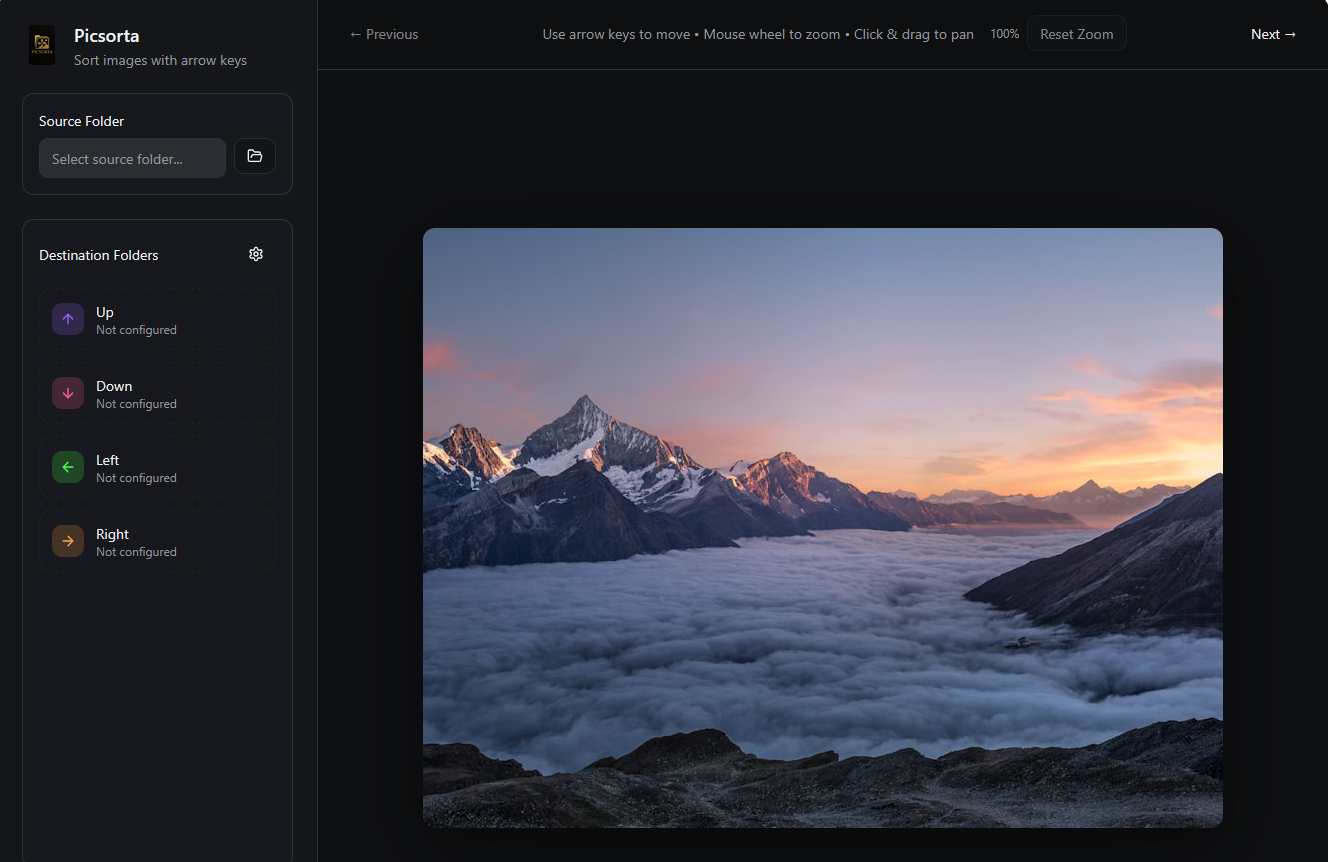
Map Up/Down/Left/Right to destination folders and file your images with a tap.
Mouse wheel to zoom, click & drag to pan — examine fine detail without leaving flow.
Built for Windows with buttery‑smooth performance and crisp UI.
Keep hands on the keys. No dialogs, no friction — just decisive sorting.
Picsorta moves original files between folders without touching pixels.
Undo last move, review history, and prevent accidental overwrites.
Pick the folder that contains the photos you want to sort.
Map each arrow key to a destination folder. You can change these on the fly.
Use arrow keys to file images instantly. Zoom, pan, and keep moving.
Leave your email and we’ll notify you the moment Picsorta is available for Windows.
We’ll only email once for launch. You can opt out anytime.
We’re polishing the experience now. Leave your email and we’ll let you know as soon as it’s ready.
Picsorta is built for Windows. Mac support is under consideration.
No. Picsorta only moves original files between folders. Your pixels remain untouched.